The New RedTree Is Here

We rebuilt RedTree from the ground up. The new site is faster, more visual, and designed to take the friction out of designing, pricing, and ordering albums. Whether you are placing your first order or your five hundredth, nearly every step now takes fewer clicks and leaves far less to guesswork. Here is a tour of what is new and how it helps your studio.
What is new at a glance
- A visual cover designer to view cameos and debossing and download a shareable proof.
- Custom Matted Folio Albums with a unique mat on every page.
- A fully editable cart if you catch a mistake or need to make a change.
- A live pricing calculator with a compare feature, plus an online pricing guide.
- A faster site and inline spread proofer to make uploading spreads easy.
1. A visual cover designer

This is the heart of the new RedTree. Instead of imagining how a cover will look, you now build it on screen and watch it come together in real time. Choose your material, place your debossing, add a cameo cut out, and the preview updates as you go. What you see is what we make. No more ordering blind and hoping the finish matches the picture in your head.
The part your clients will love most: when the cover looks right, you can download it as an image and send it straight to them. It turns an internal ordering step into a selling moment, and it gives your client a reason to say yes before the album is ever printed.

Custom debossing, placed anywhere
Custom debossing is no longer boxed into a single spot. You can now add it anywhere on the front cover. A name, date, monogram, or logo: upload your design and position it exactly where you want on the cover. Paired with the cover designer, every placement shows up in the live preview, so you see the finished arrangement before you order.
2. Custom Matted Folio Albums
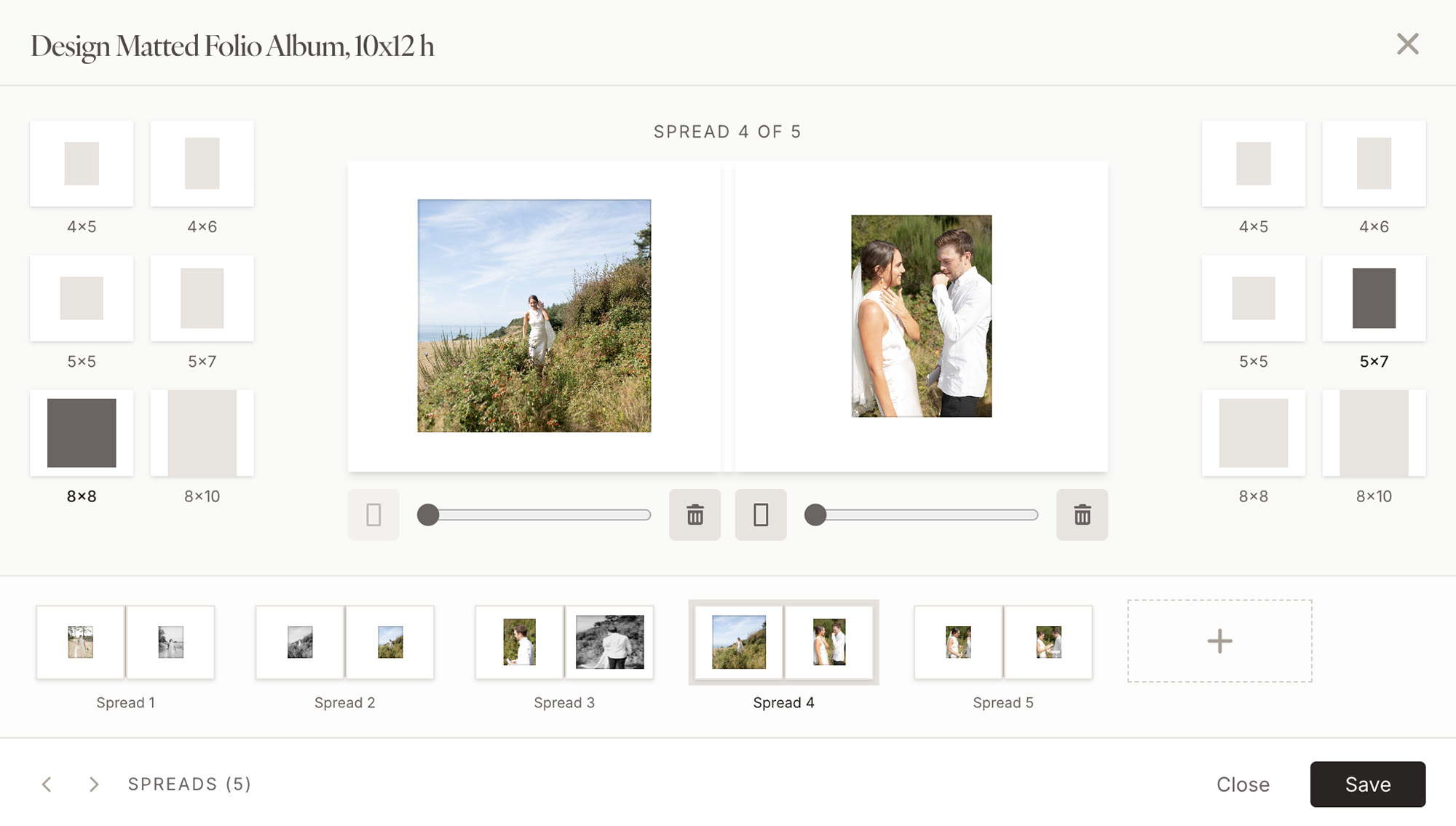
Our Matted Folio Albums now support a custom mat on every page. Rather than a single mat style throughout, you can tailor the opening on each spread to the image it frames, mixing window sizes and orientations across the album. It is a level of control that used to require a custom order, now built right into the Matted Folio Album order form.
3. Fully editable cart
All products in the cart can now be edited without having to reconfigure the entire order. Need to swap out a spread or add debossing before you head to checkout? You can easily make those changes directly from your cart. If you build out a product but aren't ready to order, the Save for Later tool allows you to save your work to your account.
4. A reimagined pricing calculator and pricing guide
Every product now has a live pricing calculator. As you change the size, cover, page count, or upgrades, your price updates instantly, so you always know where you stand before you commit. The compare feature lets you put options side by side, which makes it easy to see how a larger size or a different cover changes the number and to build the collection that fits your studio.
With the online pricing guide, your full wholesale pricing now lives in one place inside your account, always current, with no spreadsheet to keep updated. Sign in and your pricing guide is there, ready whenever you are quoting a client or planning a collection. Because it is tied to your account, it always reflects the latest pricing, so you are never working from a stale sheet.
5. An inline spread proofer
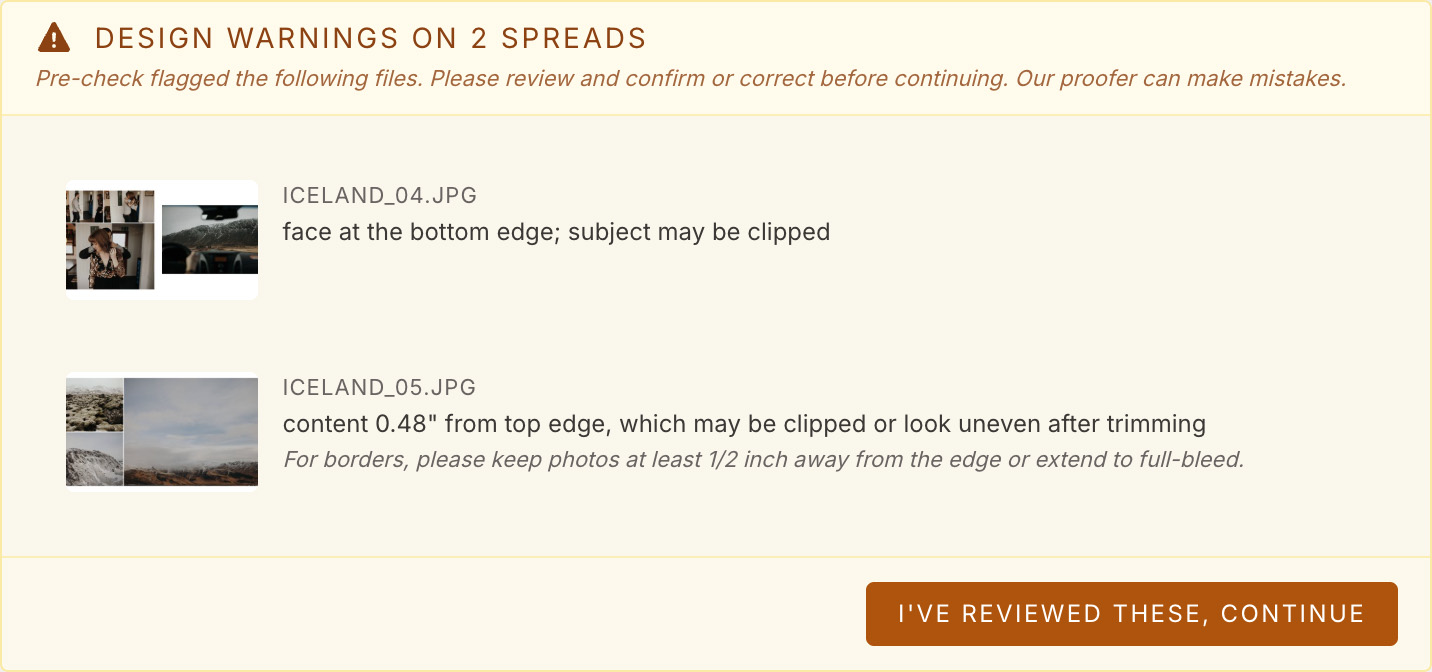
Design issues are much less costly to fix before an album is printed. The new inline spread proofer checks your spreads as you add them and flags potential problems, like an image that sits too close to the gutter or a face near a trim edge, so you can catch them in seconds rather than discovering them in the finished book.
Underneath all of it, the new site is simply quicker. Pages load faster, the designer is more responsive, and the path from idea to placed order has fewer steps. We removed the dead ends and made the whole experience feel lighter, so the tools stay out of your way and let you focus on the work.
The best tool is the one you stop noticing. The new RedTree gets out of your way so you can get back to your clients.
And there is more
Alongside the headline features, the new site brings a cleaner account dashboard, easier reorders, saved designs you can return to, clearer order tracking, and a layout that works as well on a phone as it does on your studio monitor. Small refinements are everywhere, and together they add up to a calmer, faster way to work.
Getting started
Moving over takes only a few minutes.
Sign in or create your account
Your pricing guide and RedTree Credit are waiting inside, ready the moment you log in.
Design a cover
Open the cover designer, add a cameo or debossing, and download a proof to share.
Price and compare
Use the calculator to build a collection that fits your studio, with no surprises at checkout.
See the new RedTree for yourself